PRESSING INSTRUCTIONS

COTTON

Set Press to 150 Degrees

Please use medium pressure

Place garment on the press and cover with parchment paper

Press for 6-7 seconds

Our film is hot release, remove the backing straight after pressing..

Then re-cover with parchment paper and re-press for max 2-3 seconds.

Please wait 24 hours before stretching or washing the transfers.

POLYESTER


Set Press to 135 Degrees

Please use light pressure for best results and no dye migration

Place garment on the press and cover with parchment paper

Press for 6-7 seconds

Our film is hot release, remove the backing straight after pressing.

Then re-cover with parchment paper and re-press for max 2-3 seconds.

Please wait 24 hours before stretching or washing the transfers.

APPLYING DTF TRANSFERS

DTF PLACEMENT

Place your DTF transfer on the garment.  Please make sure the press temperature and pressure has been set correctly in advance.  Cover the transfer with a baking sheet or Teflon and press.

REMOVE BACKING

After pressing the transfer remove the backing in a fast motion like a wax strip.  DO NOT remove the backing slowly or your transfer may lift.  The fast motion activates a gas that pushes the ink off the backing sheet.

FINAL PRESS

After removing the backing you need to carry out a final press to flattern and secure any areas with air bubbles.  We recommend to keep the pressure the same and only 1-2 seconds. Make sure you still use a baking sheet or teflon at this final stage

TROUBLE SHOOTING

APPLYING DTF TRANSFERS

Please see below tips for simple application of DTF transfers.

Please make sure all garments are pressed with just one side on the press with the platen directly underneath the garment.

A pre press is always helpful but not 100% necessary. This flattens the garment and removes moisture. 1-2 seconds maximum.

After pressing the backing should be removed like a wax strip. This activates the gas that pushes the print off the backing.

A short press of 1-2 seconds is recommended after backing has been removed to finally secure the transfer.

APPLICATION ISSUES

If you are having application issues please adjust the below.

Our film is hot release to speed up production time.  If you wait until the transfer is cold and then remove the backing this will 100% work until we solve your issue.

If new to DTF transfers please adjust press settings until you find the optimum temperature and pressure.  DTF transfers only require light to medium pressure. Not all presses are calibrated correctly and small adjustments may help.

As a rule DTF transfers very rarely have application issues. So small adjustments can make a very big difference.

ARTWORK

Upload Facility

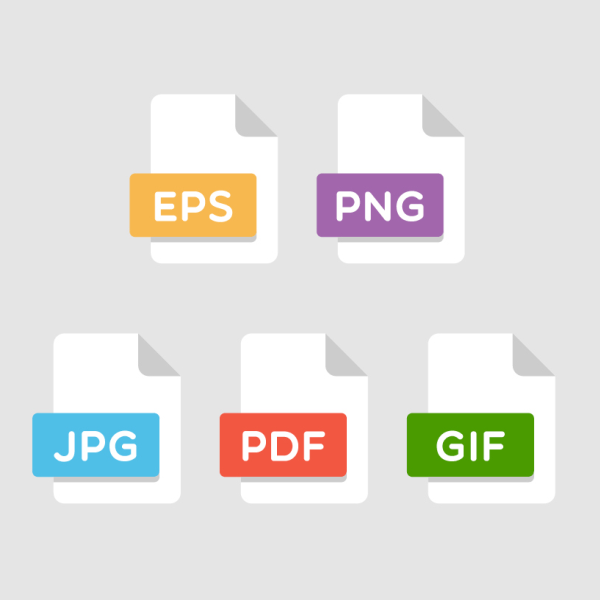
Please upload your artwork in PNG, GIF, SVG. We recommend PNG files as the print colours are more consistent. 

Your artwork can be uploaded as individual files and laid our or upload one PNG file 540mm x 1000mm direct from your own software.

Direct Artwork

Please send us your artwork in vector format for the highest quality finish.  You can upload your files by WeTransfer or e-mail us your smaller files.

We accept EPS, Ai, PSD, CDR, PDF files.  If you can send sized up to 560mm x 1000mm – we can import direct to our RIP software.

WASHING

Please adhere to the following instructions below and your DTF Transfers will last longer than your garments.

Wash DTF Transfers as maximum of 30-40 degrees

DO NOT tumble dry or iron directly on the transfers

When washing garments we recommend you turn your garments inside out. This will then protect the printed transfer from friction or abrasion with other fabrics during your washing cycle.Please do not use any fabric softeners or chemicals or if required use only a small amount.

When airdrying your garments please keep your garments inside out. Direct sunlight can affect the vibrancy of the transfer due to photodegradation.

Any queries or issues please call or e-mail and we will be happy to help.

APPLYING UV DTF TRANSFERS

uv transfers

REMOVE BACKING

Firstly remove the white backing from your transfer and make sure your object is ready for application.  Your object needs a clean surface with no dust. We recommend using an alcohol wipe to clean.

PRESS AND APPLY

Apply the transfer to your chosen object pressing firmly to ensure adhesion to the surface.  Please make sure placement is in the correct position as UV transfers cannot be reapplied.

REMOVE BACKING

Please leave the transfer to set for min 5-10 minutes.  After waiting slowly peel the clear backing in a peeling motion without pulling outwards.

Scroll to Top